Checking your bank balance is a fundamental aspect of managing your finances. Whether you are tracking your expenses, monitoring deposits, or ensuring that your account is secure, staying informed about your bank balance is crucial. Knowing how much money you currently have available for spending, investing, and saving is key to making sound financial decisions. If you’re a City Union Bank (CUB) customer and want to check your account balance, there are several convenient methods you can use to do so.
Multiple Ways To Stay Updated On Your CUB Account Balance
Keeping track of your CUB account balance is essential for managing your finances effectively. There are several ways to stay updated on your CUB account balance, ensuring that you are always aware of your financial situation.
Here are some of the most convenient methods CUB offers:
1. CUB Online Banking
2. CUB Mobile App
3. Missed Call
4. ATM
5. Bank Statements
6. CUB Branch Visit
By utilizing these multiple methods, you can ensure that you are always aware of your CUB account balance and make informed financial decisions.


Personal Loan
Quick Approval in 24 Hours
💰 No processing fee for first 100 customers | ⚡ Digital KYC in 5 minutes
CUB Balance Check Via CUB Online Banking

Online banking with City Union Bank offers several benefits, including 24/7 account access, the ability to transfer funds between accounts, and the ability to pay bills online.
To perform a CUB balance check using CUB online banking, follow these steps:
- Access CUB Online Banking: Visit the City Union Bank website.
- Log in: Enter your User ID and password.
- View your balance: Once logged in, your account balance will typically be displayed on the home page or dashboard. Alternatively, look for an “Accounts” section where you can select your desired account and view its balance.
Also, Note:
- You can also view a mini statement showing recent transactions for the selected account.
- Download detailed account statements in various formats for record-keeping purposes.
Points To Remember:
- Ensure you are accessing the official CUB website to avoid phishing scams.
- Keep your login information private and refrain from sharing it with anyone.
- Give your login process an additional level of protection by considering the activation of two-factor authentication.
With CUB online banking, you can not just view your account balances, you can also use these features: check transaction history, transfer funds, pay bills, and more.
CUB Balance Check Via CUB Mobile App

City Union Bank’s CUB Mobile App is a digital banking platform designed for customers to access and manage their banking services conveniently through their smartphones. The app offers various features and services, including account management, bill payments, money transfers, and more.
Here’s how to check your CUB account balance using the CUB Mobile App:
- Download & Install: Download and install the CUB All in One Mobile Banking app from the App Store (for iOS) or Google Play Store (for Android).
- Launch App & Login: Enter your User ID and password or use your registered fingerprint/face ID for quicker access (if enabled).
- View Balance: Once logged in, your account balance will typically be displayed prominently on the home screen or dashboard. Alternatively, look for an “Accounts” or “Balances” tab or menu option.
Additional Options:
- You can also view a mini statement showing recent transactions for the selected account.
- Tap on a specific account to see more details like account number, available balance, and recent transactions.
By following these steps, you can easily check your CUB account balance anytime, anywhere, directly through the convenient and secure CUB Mobile App.
Personal Loan
Quick Approval in 24 Hours
💰 No processing fee for first 100 customers | ⚡ Digital KYC in 5 minutes
CUB Balance Check Via Missed Call
City Union Bank provides its customers with the convenience of checking their account balance through a missed call service. This service allows customers to quickly and easily access their account information without the need for internet connectivity or visiting a bank branch.
Here’s how to check your CUB account balance using the missed call service:
- Dial the number: From your registered mobile number associated with your CUB account, dial +91-9278177444.
- End the call: You don’t need to speak to anyone or enter any information. Simply let the call ring and then end it as a missed call.
- Receive your balance: You will receive an SMS notification from CUB with your current account balance shortly after the missed call.
Important Reminders:
- Ensure you are calling from your registered mobile number used for CUB banking services.
- This service is free of charge. However, standard SMS charges from your mobile operator may apply.
This method offers a convenient and quick way to check your CUB account balance without requiring any internet access or internet banking login.
CUB Balance Check Via ATM
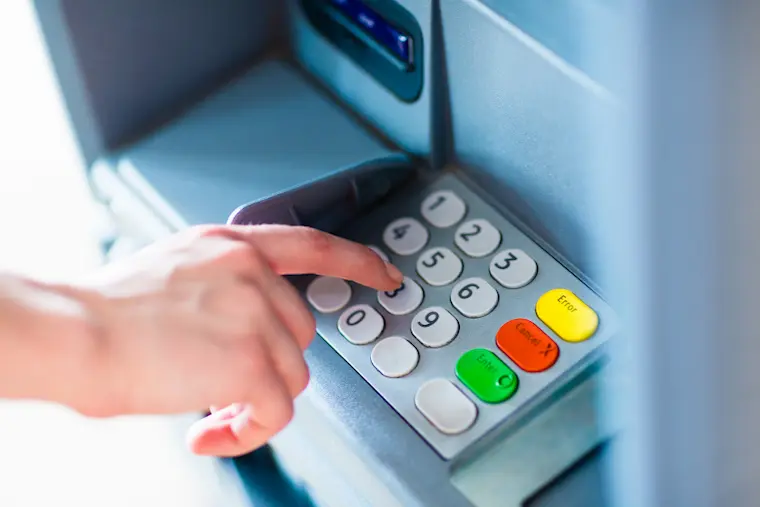
Here’s how to check your CUB account balance at an ATM:
- Locate a CUB ATM: Look for a nearby CUB ATM or one within your bank network that allows balance inquiries for CUB accounts.
- Insert your card and enter your PIN: Insert your CUB ATM/debit card into the ATM machine and enter your 4-digit PIN correctly.
- Select “Balance Inquiry”: The ATM screen will display various options. Look for an option like “Balance Inquiry” or “Account Information.”
- Review your balance: The screen will display your current available balance for the selected account.
- Collect your card and receipt: After reviewing your balance, take back your card when prompted by the ATM. You can choose to print a receipt for your records, but it’s not necessary.
Additional Options (optional):
Depending on the ATM, you might have further options like:
- Viewing a mini-statement showing recent transactions.
- Selecting a different account (if you have multiple CUB accounts linked to your card).
Remember:
- Exercise extra caution when utilizing ATMs, particularly in unfamiliar areas.
- Shield your PIN while entering it to avoid prying eyes.
- Report any suspicious activity around ATMs to CUB immediately.
This method allows you to check your CUB account balance readily if you have your debit card and are near a compatible ATM.
Personal Loan
Quick Approval in 24 Hours
💰 No processing fee for first 100 customers | ⚡ Digital KYC in 5 minutes
CUB Balance Check Via Bank Statements

While not a real-time method, checking your CUB account balance through bank statements can be an option, especially if you prefer paper records or receive electronic statements periodically.
Here’s how it works:
Receive Your Bank Statements
- CUB offers both paper and electronic bank statements.
- You can choose your preferred option through your online banking settings or by contacting CUB customer service.
Locate The Balance Information
- Paper statements: Look for the “Account Summary” or similar section, which typically displays your current balance at the statement period’s end.
- Electronic statements: Open the statement file (usually PDF format) and find the “Balance” section or similar. You might need to scroll down or navigate to the relevant account section.
Review The Information
- The statement will show your ending balance for the specific period covered (usually monthly).
- It will also provide detailed information about your account activity during that period, including deposits, withdrawals, and other transactions.
Points To Remember:
- Bank statements are not real-time updates and reflect your balance at a specific point in time.
- They are primarily for record-keeping purposes and tracking your overall spending and transactions over a period.
- Consider the potential delay in receiving and processing paper statements compared to electronic options.
If you need to know your current balance and cannot wait for the next statement cycle, consider using one of the real-time methods like online banking, mobile app, missed call service, or ATM.
Personal Loan
Quick Approval in 24 Hours
💰 No processing fee for first 100 customers | ⚡ Digital KYC in 5 minutes
CUB Balance Check Via CUB Branch Visit
To check your CUB balance by visiting a CUB branch, follow these steps:
- Visit your nearest City Union Bank (CUB) branch during their operating hours.
- Approach the customer service desk or a bank teller.
- Request to check your account balance.
- Provide your account details or any identification required by the bank.
- The bank staff will assist you in checking your CUB account balance.
If you prefer to visit a branch:
- Be prepared for waiting times, especially during peak hours.
- Carry your account details or debit card for verification purposes.
- The branch might not be able to provide you with a printed statement immediately, depending on their policy.
Please remember that this method of checking your CUB balance involves a physical visit to the bank, which may not be convenient for everyone. To avoid the hassle of visiting the branch, you can also check your CUB account balance through alternative methods.
Also Read: RBL Bank Balance Check Number
To Conclude
The CUB Bank provides a convenient and secure way to check your account balance. By utilizing their online banking services or visiting a nearby branch, you can easily access and monitor your funds. With CUB Bank, you can stay on top of your finances and make informed decisions about your money.
Ultimately, the best method for checking your CUB balance depends on your personal preference and what’s most convenient for you.
Download Personal Loan App
Get a loan instantly! Best Personal Loan App for your needs!!
Looking for an instant loan? Buddy Loan helps you get an instant loan from the best verified lenders. Download the Buddy Loan App from the Play Store or App Store and apply for a loan now!
Download the Buddy Loan app now!
Get the free Buddy Loan app on your phone


Having any queries? Do reach us at info@buddyloan.com
Frequently Asked Questions
Q. Do I need a check number to check my CUB Bank balance?
A. No, you don’t need a check number to check your CUB Bank balance. You can use various convenient methods like CUB Net Banking, Mobile App, Missed Call Banking, or ATMs.
Q. What are the different ways to check my CUB Bank balance without a check number?
A. There are several ways to check your CUB Bank balance without a check number: CUB Net Banking, CUB Mobile App, missed call banking, or any CUB ATM using your debit card and PIN.
Q. Which method is the fastest and easiest to check my CUB Bank balance?
A. The fastest and easiest way to check your CUB Bank balance is through missed call banking.
Q. Is it safe to share my CUB Bank check number for balance inquiries?
A. No, sharing your CUB Bank check number for balance inquiries is not recommended. It is a sensitive piece of information and should be kept confidential to avoid potential fraud.
Q. Is the check number on my CUB Bank statement the same as my account number?
A. No, the check number on your CUB Bank statement is not the same as your account number.
Q. Do I need to use the check number printed on my cheque to check my balance?
A. No, the check number printed on your cheque is not needed to check your account balance.
Q. How can I check my CUB Bank balance with SMS banking?
A. Unfortunately, City Union Bank (CUB) doesn’t currently offer SMS banking for balance checks.